
What's New in Omera 4.35 for iPhone: Type in Several Languages on One Keyboard
Nov 9, 2026
Omera 4.35 for iPhone is out. It changes how Omera handles languages. If you write in more than one language, you no longer have to switch keyboards in the middle of a conversation. You can also choose the keyboard layout you’re used to.
Why we built this
We looked at how people type with Omera. In the 30 days before we started on this release:
- About 1 in 6 Omera users typed in two or more languages, and that’s a lower bound.
- Almost a third of them typed in three languages or more.
- 8 in 10 of them had English in the mix.
- The most common pairs were Arabic and English, English and Spanish, and English and Russian.
Until now, each language had its own keyboard, and you switched between them with the flag key. For many people, that meant switching several times in a single conversation.
Several languages, one keyboard
With 4.35 you can put up to three languages on the same keyboard. Just start typing. Omera detects which language you’re writing in, so you don’t have to switch. The space bar shows which languages the keyboard holds, for example EN ES. If you also have other Omera keyboards, the flag key shows their flags instead.
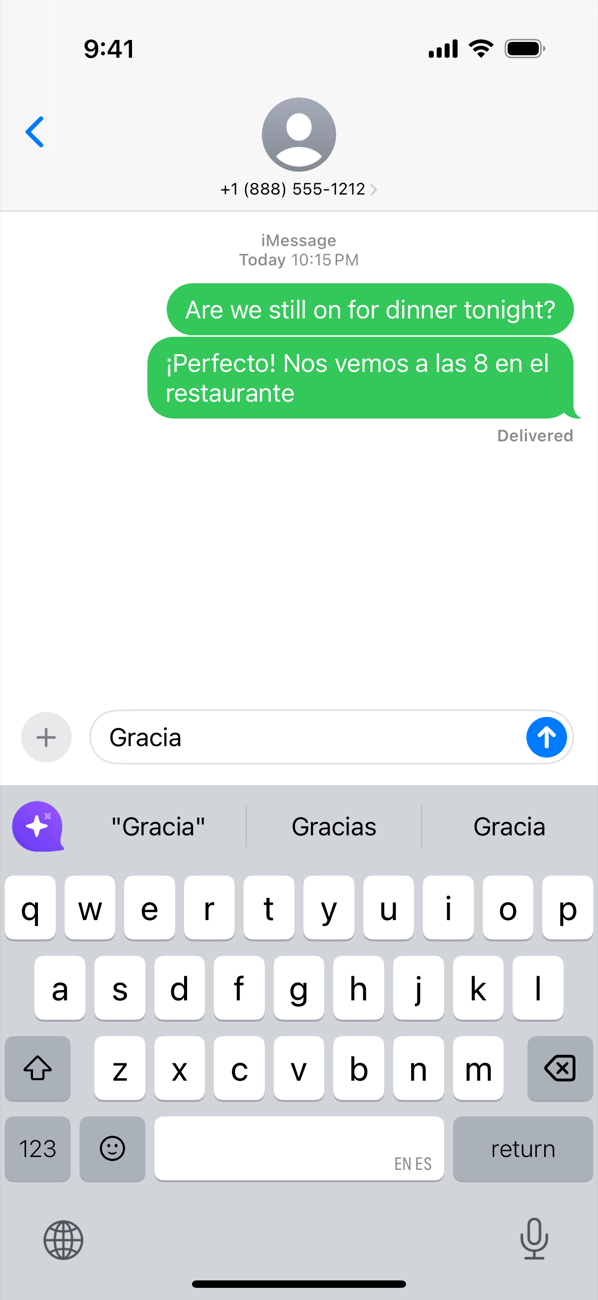
When you set up Omera and pick more than one language, it asks whether you want them on one keyboard or on separate keyboards.
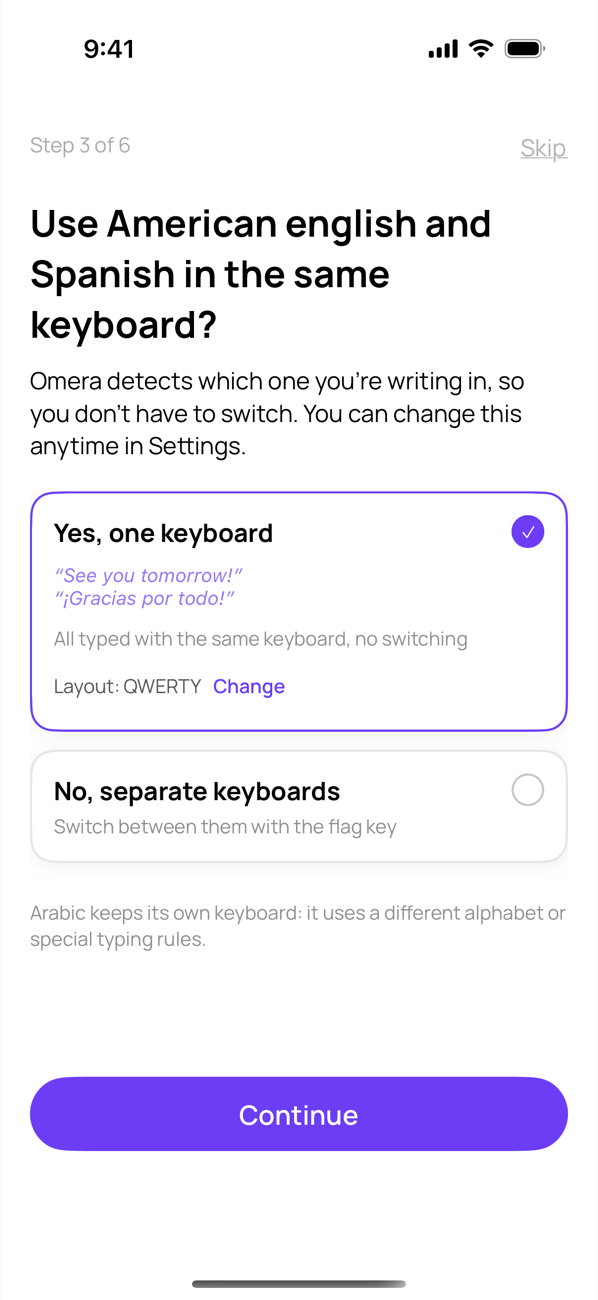
A few things to know:
- You can change your choice later in Settings.
- Languages with a different alphabet or special typing rules (for example Arabic, Hindi, Russian, Ukrainian, Vietnamese and Turkish) keep their own keyboard. So if you write in Arabic and English, you still switch with the flag key. English and Spanish now fit on one keyboard.
- Separate keyboards still work the way they always have. Switch between them with the flag key.
Choose your layout
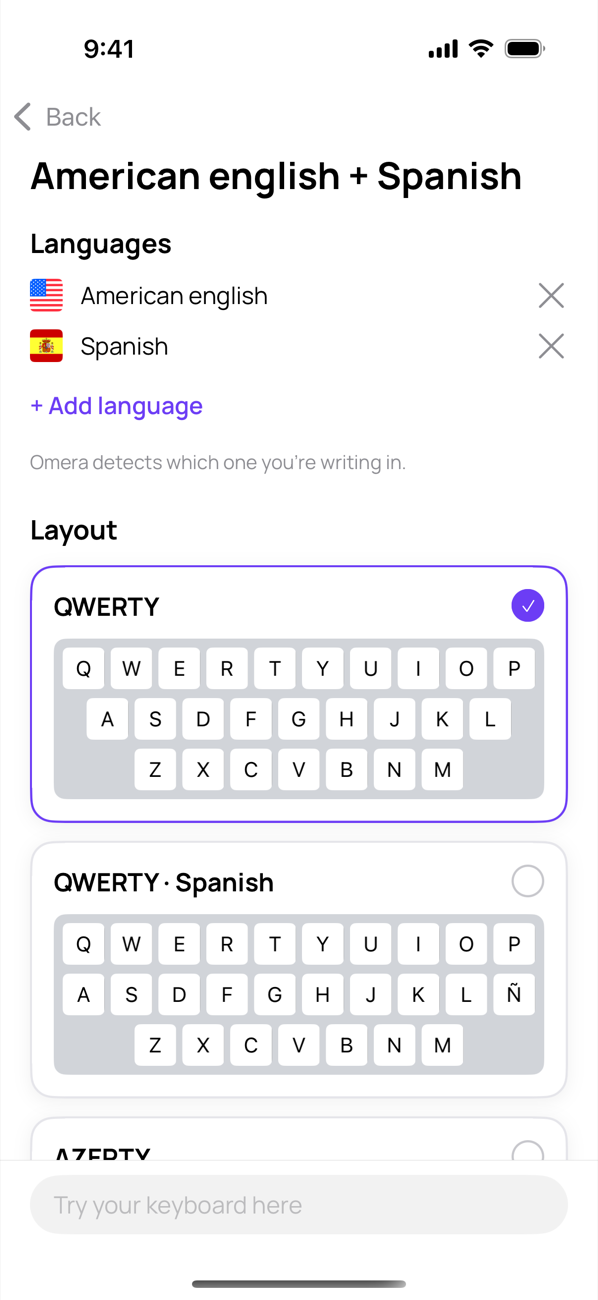
Every keyboard now has a layout. You can type Spanish on QWERTY, French on AZERTY or German on QWERTZ, whichever your fingers are used to. When a keyboard holds several languages, they share one layout, and you choose it.
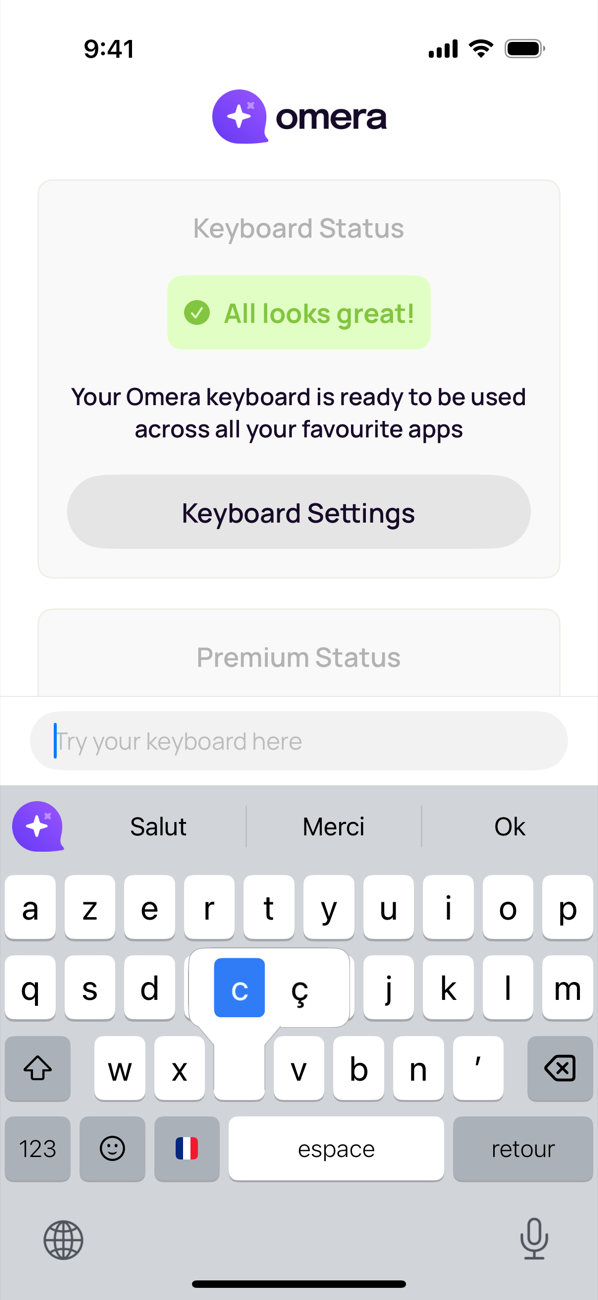
Accents are a long press away. To type an accented letter, hold the letter without the accent. For example, ç is now under c for French and Portuguese.
Update now
Omera 4.35 is available now on the App Store. If you already have Omera, update the app and open it once to set up your keyboards. If you’re new, here’s what Omera can do.
